Excel templates / Budget Templates / Budget Planner / Zero-based budget
Zero-Based Budget Template
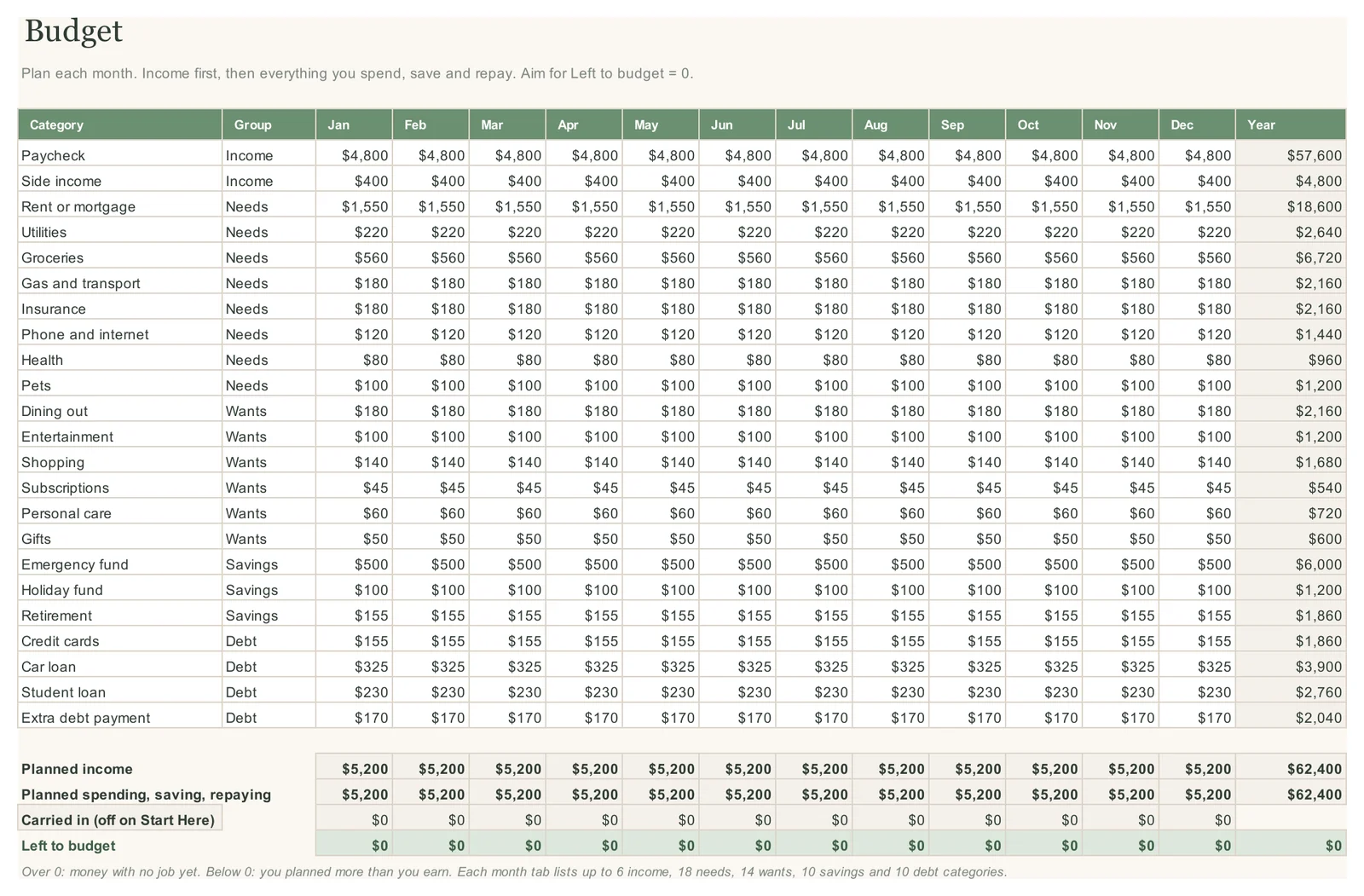
The LogicExcel Budget Planner is a zero-based budget template for Excel and Google Sheets. On the Budget tab you plan every category for every month until Left to budget reads 0, so every dollar of income has a job, then the Dashboard tracks what you actually spent against that plan.
Part of the Budget Planner · $19
Budget Planner is ready, and we are finishing the checkout. Create a free account and we will email you the moment you can buy it.
Want to start today? The Simple Monthly Budget is free.
What zero-based budgeting means
Income minus everything you plan to spend, save and repay should come to zero. Zero does not mean an empty account: savings and extra debt payments are jobs too. It means no dollar is left without a plan.
How the template does it
The Budget tab has a row for each category and a column for each month. At the bottom, Left to budget is planned income minus everything else you planned. In the example, income of $5,200 a month is fully planned, so it reads $0 in every month.
Then track it
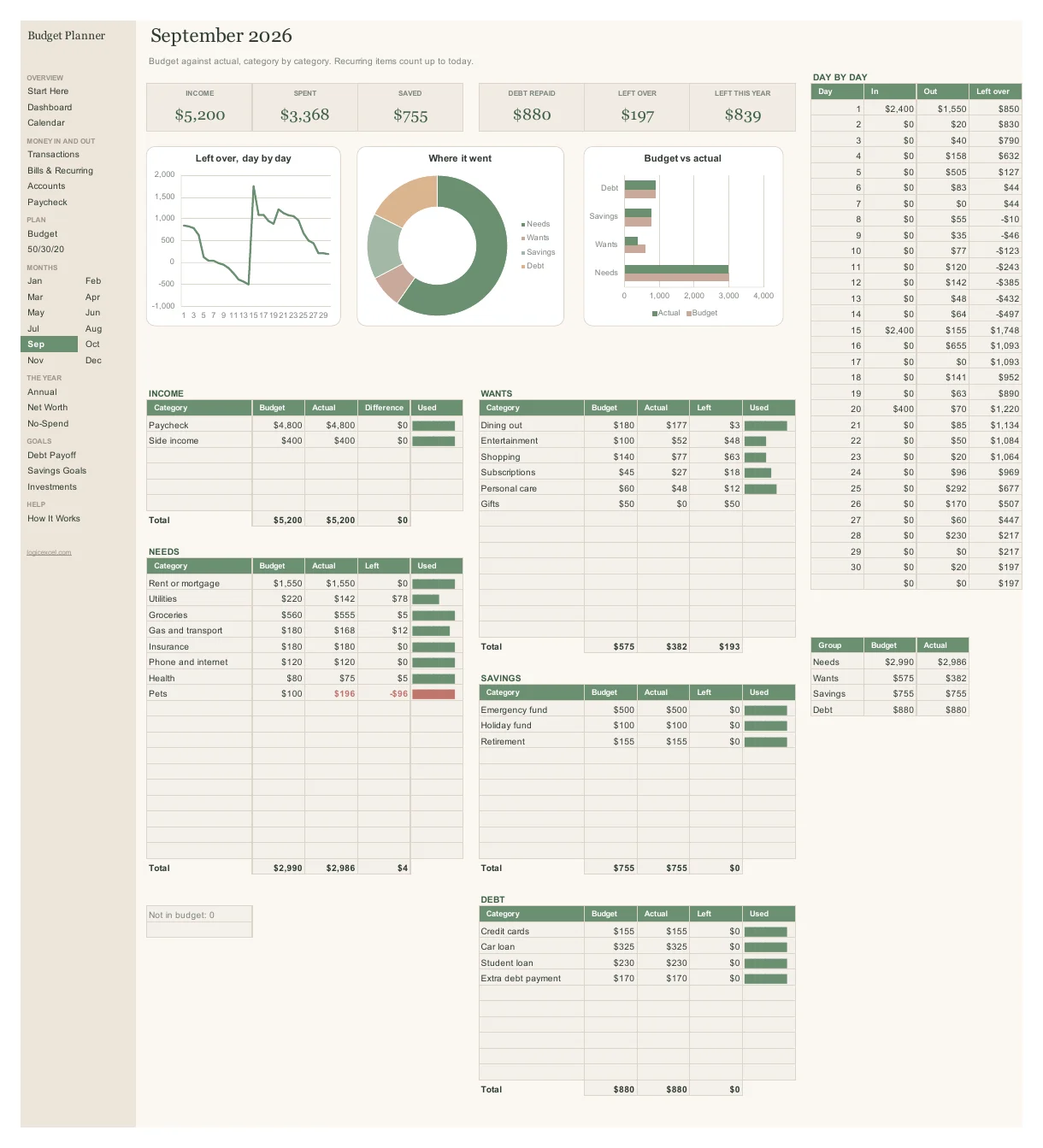
Your recurring bills and transactions fill in the actual figures. Each month tab shows planned, actual and what is left for every category, turns a category red when you go over, and the Dashboard rolls the whole year up.
Months that differ
Plan each month on its own: a bigger gift budget in December, car registration in March. Paid every two weeks? Plan the extra paycheck in the two months it lands.
Part of the Budget Planner · $19
Budget Planner is ready, and we are finishing the checkout. Create a free account and we will email you the moment you can buy it.
Want to start today? The Simple Monthly Budget is free.
Questions people ask
What if Left to budget is not zero?
Above zero, you have money without a job: add it to savings or debt. Below zero, you have planned more than you earn: trim a want first.
How many categories can I have?
Up to 60, each in one of five groups: income, needs, wants, savings and debt.
Is there a free zero-based template?
Yes. The free Simple Monthly Budget has the same Left to budget line for one month.
Does it work in Google Sheets?
Yes. Upload the file to Google Drive and choose File > Save as Google Sheets.