Excel templates / Budget Templates / Simple Monthly Budget
Budgeting
Simple Monthly Budget
The Simple Monthly Budget is a free one-month budget template for Excel and Google Sheets. You plan each category, log what you spend, and it shows what is left in every category and how your month splits across needs, wants, savings and debt. It is for anyone starting a budget who wants something clear rather than complicated.
- Planned against actual for up to 30 categories, with a bar for each
- Income, spent, saved and left-over cards that update as you type
- Where it went: needs, wants, savings and debt against the 50/30/20 guide
- A transactions log for up to 500 entries, grouped for you
What is inside
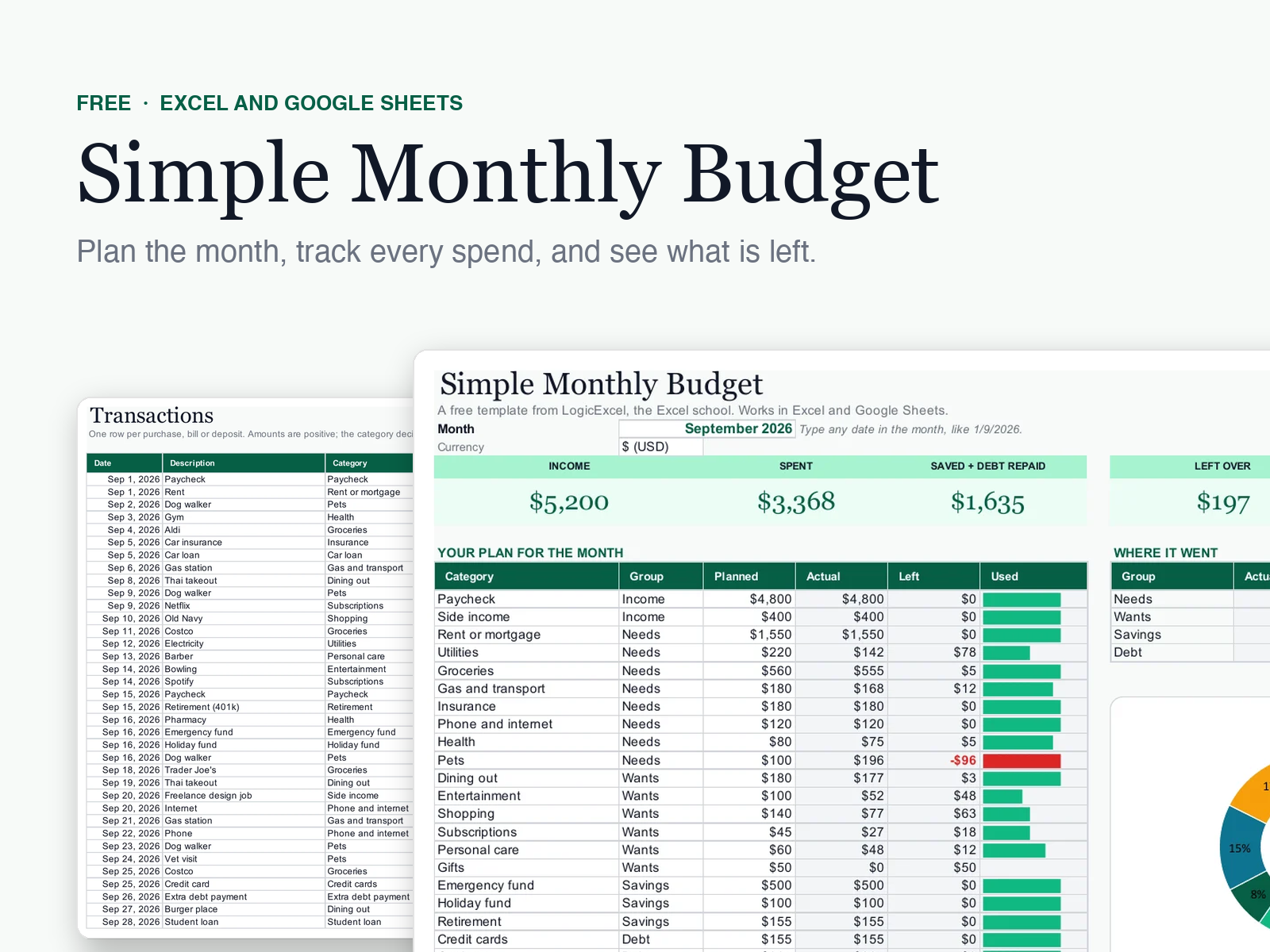
A free one-month budget for Excel and Google Sheets. Plan each category, log what you spend, and it shows planned against actual, what is left in every category, and where the money went against the 50/30/20 guide. Opens with an example month so you can see it working.
Your plan for the month
Up to 30 categories in five groups: income, needs, wants, savings and debt. Each shows planned, actual, what is left and a bar that turns red when you go over.
Four cards
Income, spent, saved plus debt repaid, and what is left over, all updating as you type.
Where it went
Needs, wants, savings and debt as a share of income next to the 50/30/20 guide, with a donut chart.
Transactions
Room for 500 entries. Pick a category and the group fills in; only entries dated in the chosen month count.
How it works
Pick the month
Type any date in the month at the top, and choose your currency.
Plan each category
Fill in Planned until Left to budget at the bottom reads 0. SUMIF lesson
Log what you spend
On Transactions, add each purchase, bill or deposit with its category. An INDEX and MATCH looks up its group. INDEX and MATCH lesson
Watch what is left
Each Actual is a SUMIFS over that category and month, so the cards and bars update as you type. SUMIFS lesson
Questions people ask
Is the Simple Monthly Budget really free?
Yes. Create a free LogicExcel account and download it. Your account also brings occasional Excel tips by email, and one click unsubscribes.
Does it work in Google Sheets?
Yes. Upload it to Google Drive, open it, and choose File > Save as Google Sheets. To show your currency symbol, select all and use Format > Number > Currency.
How do I use it for the next month?
Save a copy, change the month at the top, and clear the Actual amounts by clearing the old transactions. Your plan stays in place.
What is the 50/30/20 guide?
A simple rule of thumb: about 50% of take-home pay on needs, 30% on wants and 20% on savings and debt. The template shows your real split next to it. In a high-rent city needs above 50% is normal.
What if I want the whole year?
The Budget Planner covers all 12 months, sets each bill once with a calendar and a paycheck budget, and plans your debt payoff. It uses the same categories, so moving over is easy.
Ready for more? The Budget Planner: Set every bill once. Your calendar, paychecks and debt payoff fill themselves in. $19.
Built from these Excel functions
Each one has a free lesson you can practise in a live spreadsheet: learn the functions behind this template.