Excel templates / Budget Templates / Budget Planner / Biweekly budget
Biweekly Budget Template
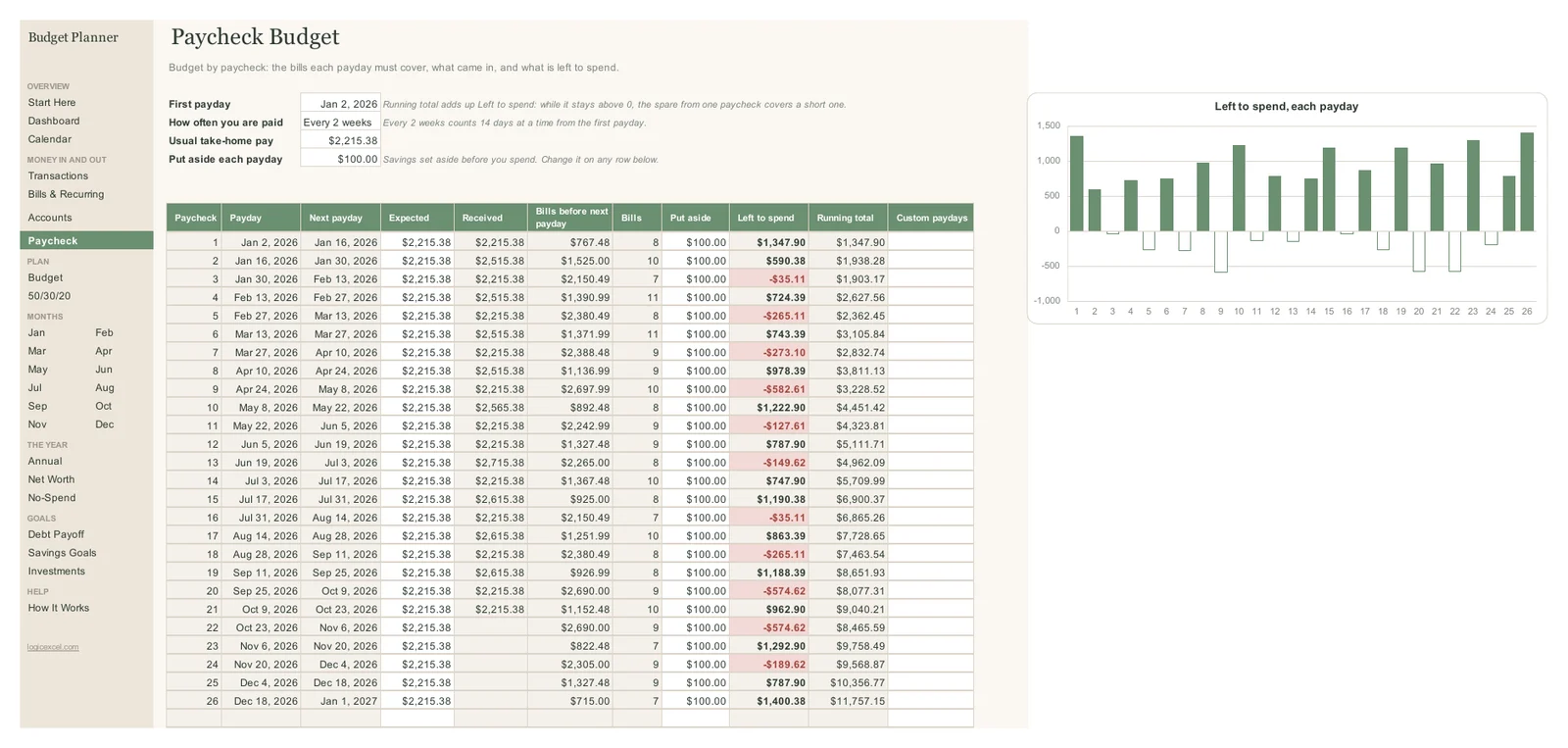
The LogicExcel Budget Planner is a biweekly budget template for Excel and Google Sheets. Enter your first payday and your take-home pay, and its Paycheck tab lists all 26 paydays in the year with the bills each one has to cover before the next, what is left to spend, and a running total, so you can see which paychecks come up short before they do.
Part of the Budget Planner · $19
Budget Planner is ready, and we are finishing the checkout. Create a free account and we will email you the moment you can buy it.
Want to start today? The Simple Monthly Budget is free.
Why a biweekly budget is harder than a monthly one
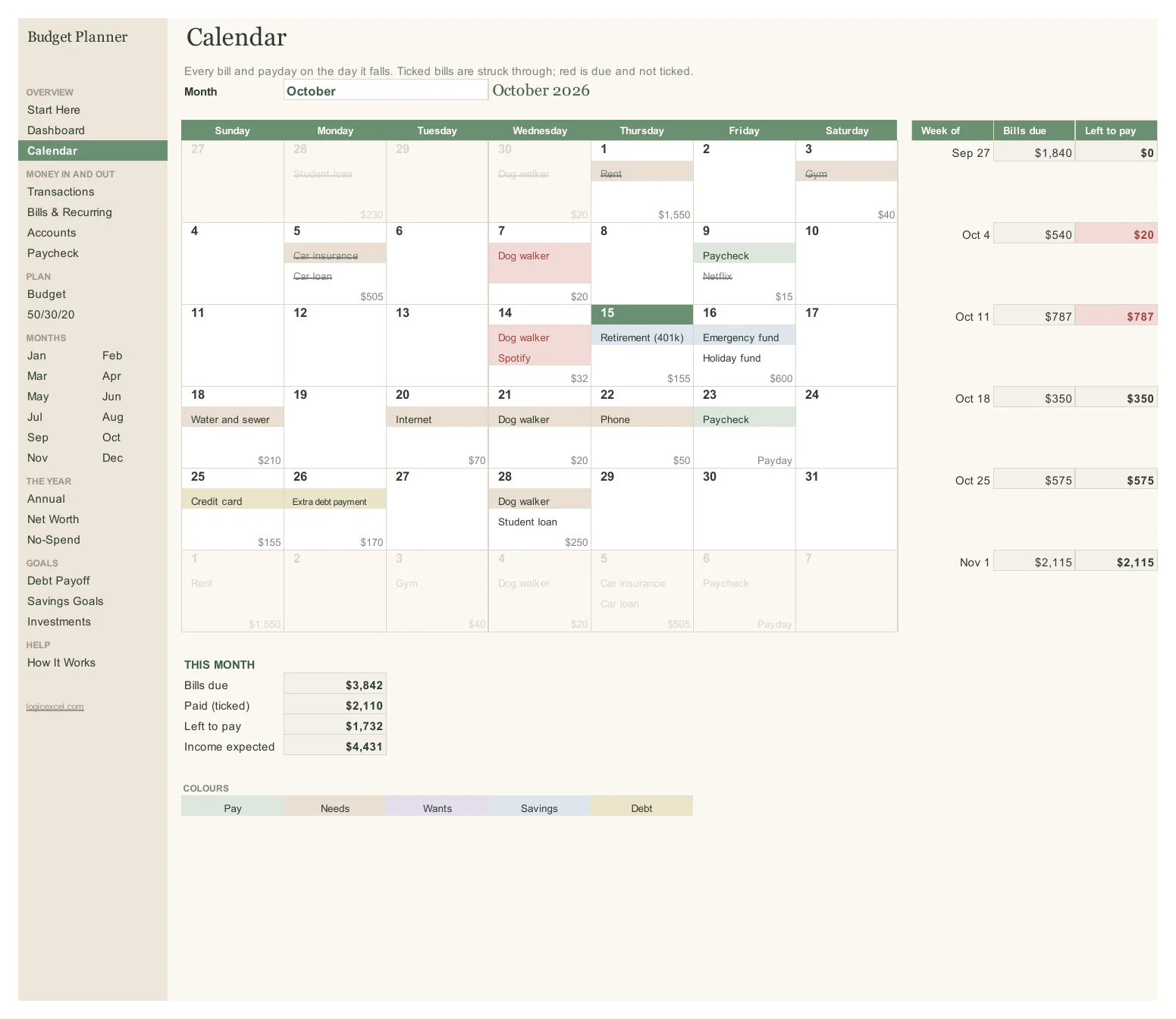
Rent and most bills come monthly, but your pay comes every 14 days, so some paychecks have to carry far more than others. In the example, Alex is paid $2,215.38 every other Friday. The paycheck on September 25 has to cover $2,690 of bills before October 9, because rent is due on the 1st, so it comes up $574.62 short. The paycheck before it had $1,188.39 to spare.
The running total answers the real question
Is there enough? The Running total adds up what is left from each paycheck. While it stays above zero, the spare from one paycheck covers the short one after it, so you know to hold that money back instead of spending it.
Three-paycheck months
Paid every two weeks, you get 26 paychecks a year, so two months have three paydays. In the example those are January and July 2026. The Dashboard shows that extra income in the month it lands, which makes those months the time to pay down debt or fill a savings goal.
Set up in a minute
On the Paycheck tab, enter your first payday, choose Every 2 weeks, and type your usual take-home pay and what you put aside each payday. Add your pay on Bills & Recurring the same way and every tab counts it on the right Fridays.
Part of the Budget Planner · $19
Budget Planner is ready, and we are finishing the checkout. Create a free account and we will email you the moment you can buy it.
Want to start today? The Simple Monthly Budget is free.
Questions people ask
Does it handle weekly and twice-a-month pay too?
Yes. Choose weekly, every 2 weeks, twice a month (the 1st and the 15th) or monthly, and the paydays and bills recalculate.
What if my paycheck amount changes?
Type over the take-home amount on that row. Each row also has its own Put aside amount you can change.
Can two people with different pay schedules use it?
Yes. Add each paycheck on Bills & Recurring with its own frequency and tag it with the person. The Paycheck tab follows one schedule, usually the main earner's.
Does it work in Google Sheets?
Yes. Upload the file to Google Drive and choose File > Save as Google Sheets.