Excel templates / Budget Templates
Budget Templates for Excel and Google Sheets
LogicExcel makes two budget templates for Excel and Google Sheets. The Simple Monthly Budget is free and covers one month: plan, track, see what is left. The Budget Planner ($19) covers the whole year, sets each bill once, and adds a bill calendar you can tick off, account balances, a paycheck budget, debt payoff, savings goals, investments and net worth across 29 tabs.
Both are built from the formulas we teach, open with an example so you can see them working, and use the same categories, so you can start free and move up without starting again.
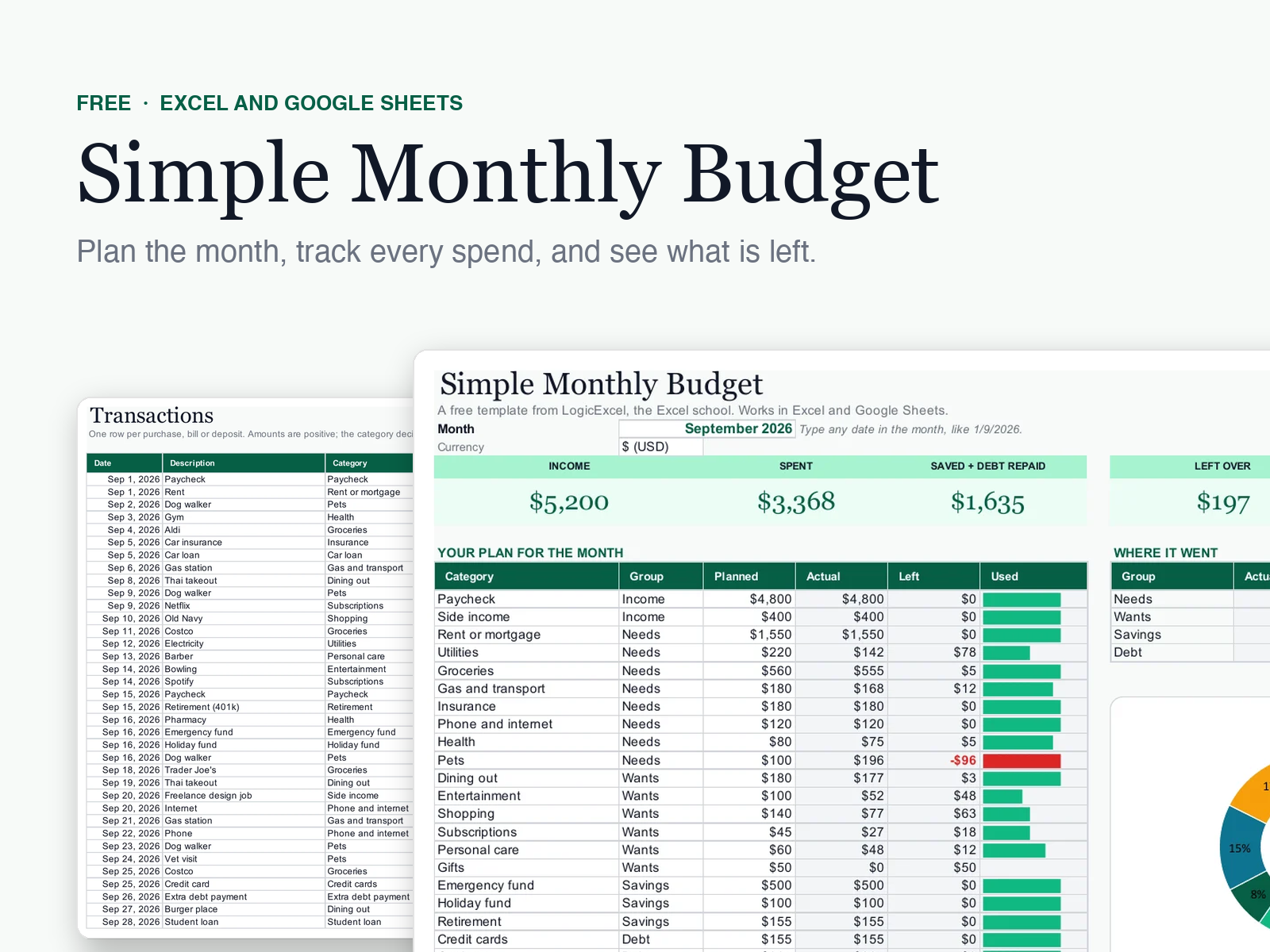
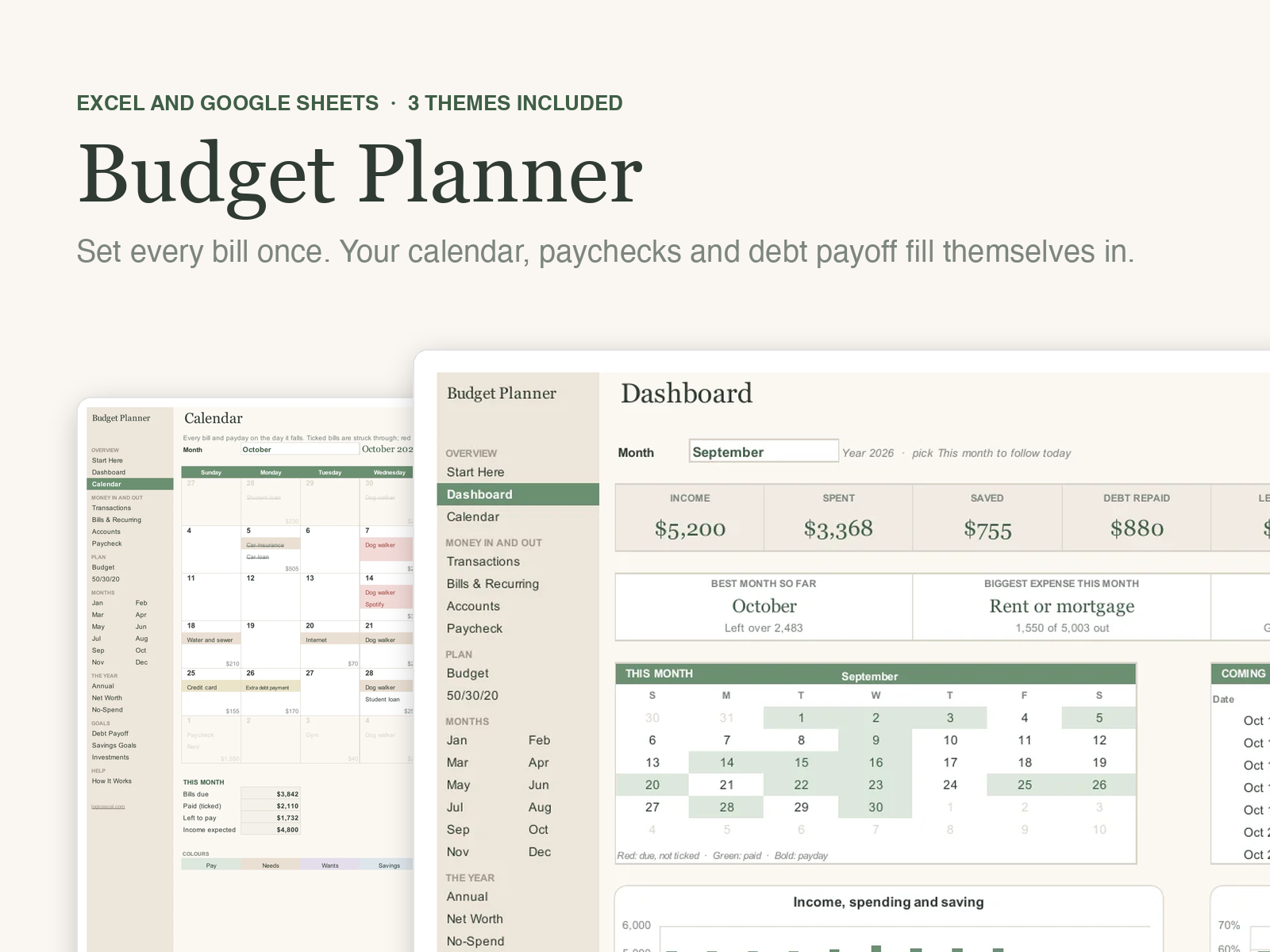
Which one do you need?
| Simple Monthly Budget | Budget Planner | |
|---|---|---|
| One month, planned against actual | Yes | Yes, for all 12 months |
| Transactions log | 500 rows | 10,000 rows |
| Bills and paydays set once, counted every month | No | Yes, 10 frequencies |
| Bill calendar, paid ticks and paycheck budget | No | Yes |
| Debt snowball and avalanche | No | Yes, up to 40 debts |
| Account balances and annual view | No | Yes |
| Savings goals and net worth | No | Yes |
| 50/30/20 check | Yes | Yes |
| Several people in one budget | No | Up to six |
| Themes | Emerald | Sage, Emerald and Midnight |
| Price | Free | $19 |
Budget templates for how you live
Debt Snowball Spreadsheet
A debt snowball spreadsheet that also does avalanche: list up to 40 debts, add an extra payment and see your payoff order, each debt's payoff month, your debt-free date and the interest you save.
Biweekly Budget Template
A biweekly budget template that lists every payday in the year with the bills it has to cover, flags the paychecks that come up short, and keeps a running total. Excel and Google Sheets.
50/30/20 Budget Template
A 50/30/20 budget template that checks your plan and your real spending against the rule: needs, wants and savings with debt, with a plain check for each.
Zero-Based Budget Template
A zero-based budget template: plan every category for every month until Left to budget reads 0, then track actual spending against it. Excel and Google Sheets.
Couples Budget Template
A budget template for couples: tag pay, bills and spending by person and see who earns and spends what, alongside one shared plan. Excel and Google Sheets.
Questions people ask
Which budget template should I start with?
If you have never kept a budget, start with the free Simple Monthly Budget and use it for a month. If you already know your numbers and want bills, paydays and debts planned for the year, go straight to the Budget Planner.
Do these budget templates work in Google Sheets?
Yes. Upload the file to Google Drive, open it and choose File > Save as Google Sheets. Set your currency symbol once with Format > Number > Currency.
Are the templates editable?
Completely. Every formula is visible, the How It Works tab explains each one, and protected tabs have no password, so you can change anything.
Can I budget by paycheck instead of by month?
Yes, in the Budget Planner. Its Paycheck tab lists every payday in the year with the bills it has to cover, for weekly, every 2 weeks, twice a month or monthly pay.