Month-End Workpaper Pack
Six workpapers for the close, each with its own check.
Created by LogicExcel
English Instant download
See inside the template
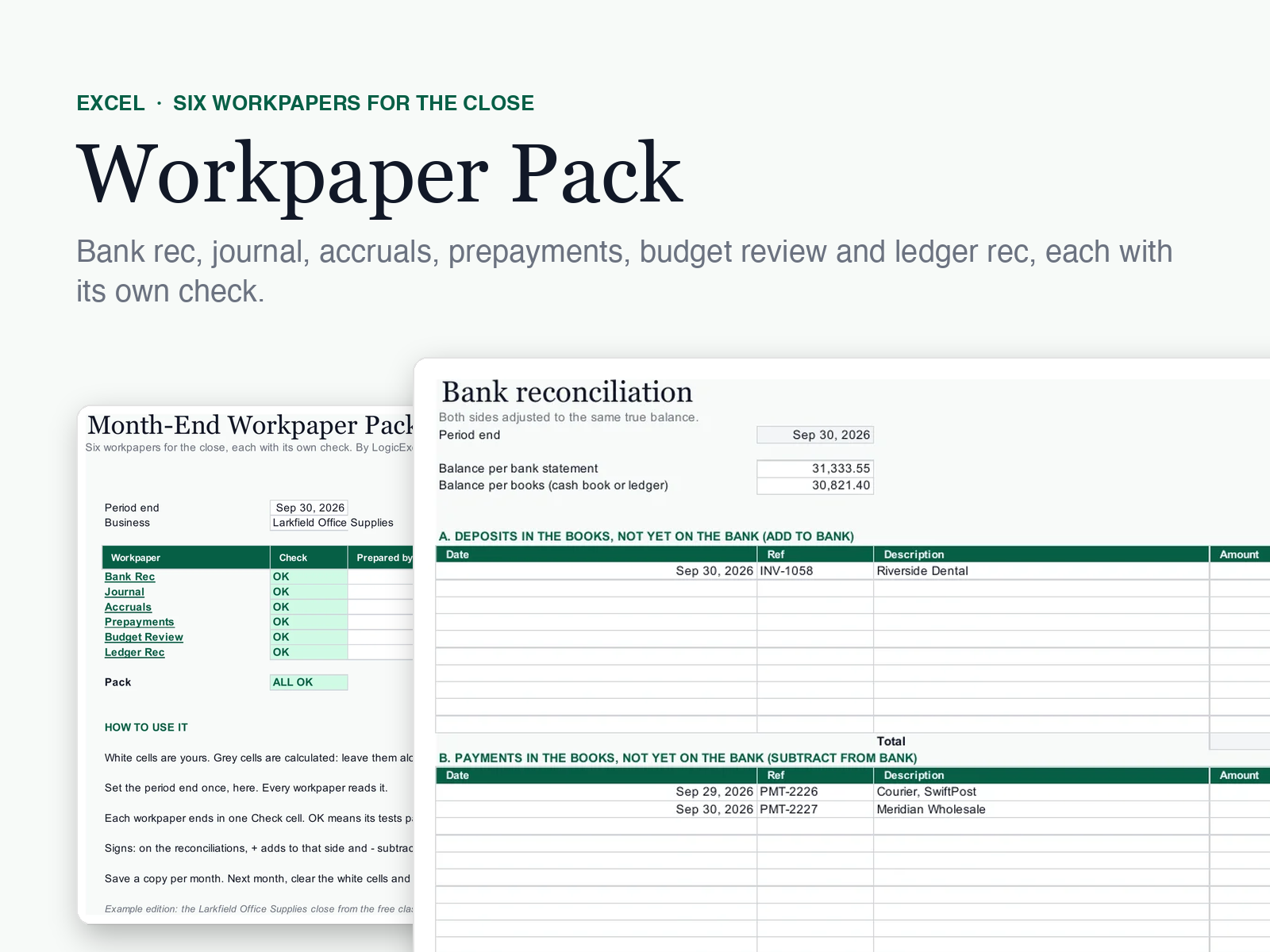
About this template
The LogicExcel Month-End Workpaper Pack is one Excel file with six close workpapers (bank rec, journal, accruals, prepayments, budget review and ledger rec), each with a check that says OK or CHECK and a sign-off on the contents page. A worked example is included. $29, one payment.
What you will receive
- Two Excel files: the blank pack and a worked example
- Six workpapers and a contents page with sign-offs
- Works in any recent Excel, on Windows and Mac
What is inside
Six ready-made month-end workpapers in one Excel file: a bank reconciliation, a journal entry, an accruals schedule, a prepayments schedule, a budget review and a sub-ledger to ledger reconciliation. Each one ends in a Check cell that says OK or CHECK, and a contents page collects all six with a sign-off for the preparer and the reviewer.
- Bank reconciliation that adjusts both sides to the same balance, with the book adjustments listed for posting
- Journal entry that refuses to say OK until debits equal credits and every line has an account
- Accruals with reversal dates, and prepayments released month by month to the period end
- Budget review that flags every variance over your threshold until it has a reason
- Sub-ledger to ledger reconciliation with an aged list and named reconciling items
How it works
Set the period end
Once, on Contents. Every workpaper reads it.
Fill the white cells
Each workpaper takes its own inputs; everything grey is calculated.
Clear every CHECK
Each workpaper ends in one Check cell. When all six say OK, the pack says ALL OK.
Sign off
The preparer and the reviewer sign each workpaper on Contents.
4.5 LogicExcel rating · 744 ratings
From learners on LogicExcel's lessons and courses, made by the same team as this template. The template is new, so it has no ratings of its own yet.
Easy to follow.
Actually fun.
Actually fun.
Beginner friendly.
Beginner friendly.
Saves me time and easy to follow.
Built from these Excel functions
Each one has a lesson you can practise in a live spreadsheet: learn the functions behind this template.
Price, access and refunds
- $29 once, no subscription.
- Pay, download, and keep the link we email you to download it again whenever you need it.
- A download cannot be given back, so a template is not refundable once bought. The refund policy has the details.
Questions
Is this included with the Excel for Accounting course?
It is free with the course for anyone who joins within 48 hours of the free month-end class. Otherwise it is sold on its own.
Which Excel do I need?
Any recent Excel on Windows or Mac.
What if a file does not open, or something is not clear?
Reply to your receipt. A person reads every reply and will help you get it working.