Excel templates / Wedding Planner / Wedding budget
Wedding Budget Spreadsheet
To budget a wedding in a spreadsheet, type your total budget once, add a line for each vendor with an estimate, the agreed price and the dates a deposit and balance are due, then type each payment. The LogicExcel Wedding Planner does the sums in Excel and Google Sheets: planned, agreed, paid, still to pay and what is left, by category and by event.
Part of the Wedding Planner · $24.99€24.99US$24.99
Type each cost once
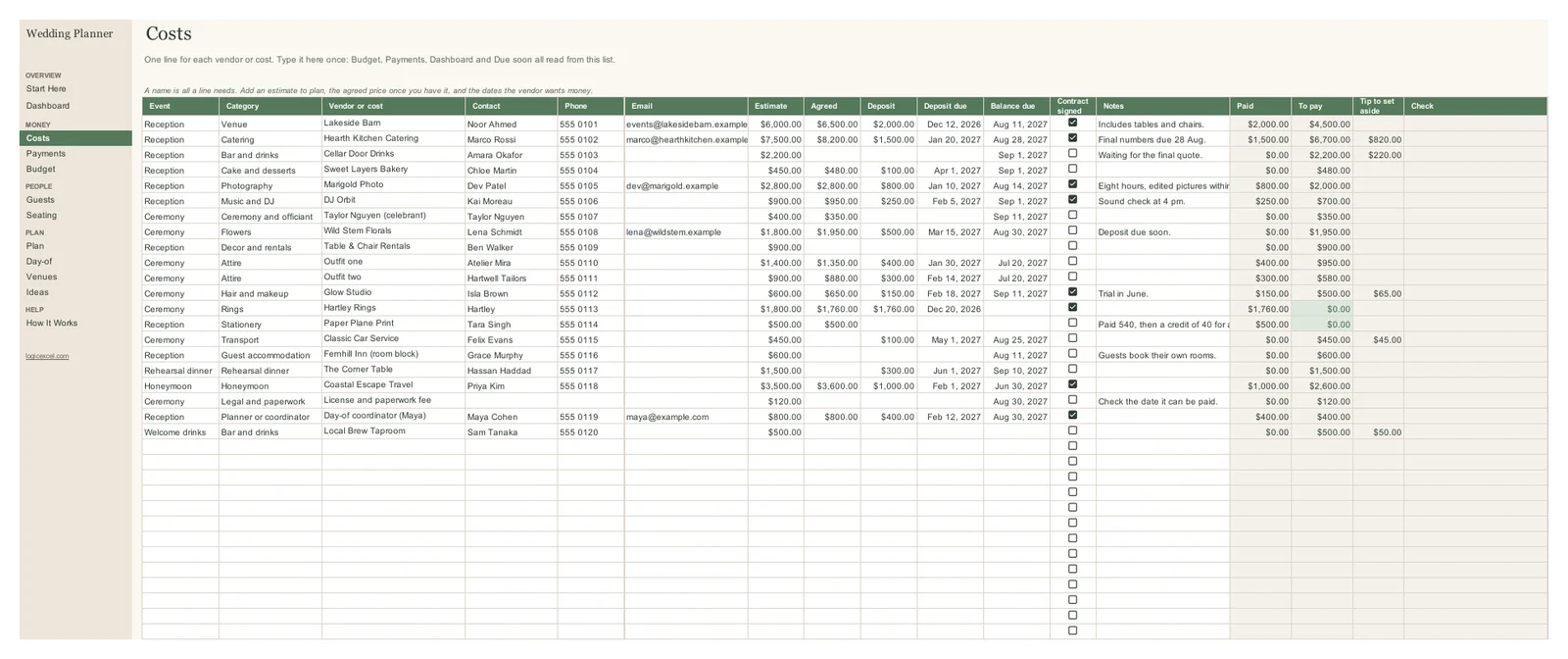
On Costs, one line for each vendor or cost: the event, the category, your estimate, the agreed price, a deposit and its date, and the date the balance is due. Nothing else in the workbook asks you to retype it.
Agreed is not paid
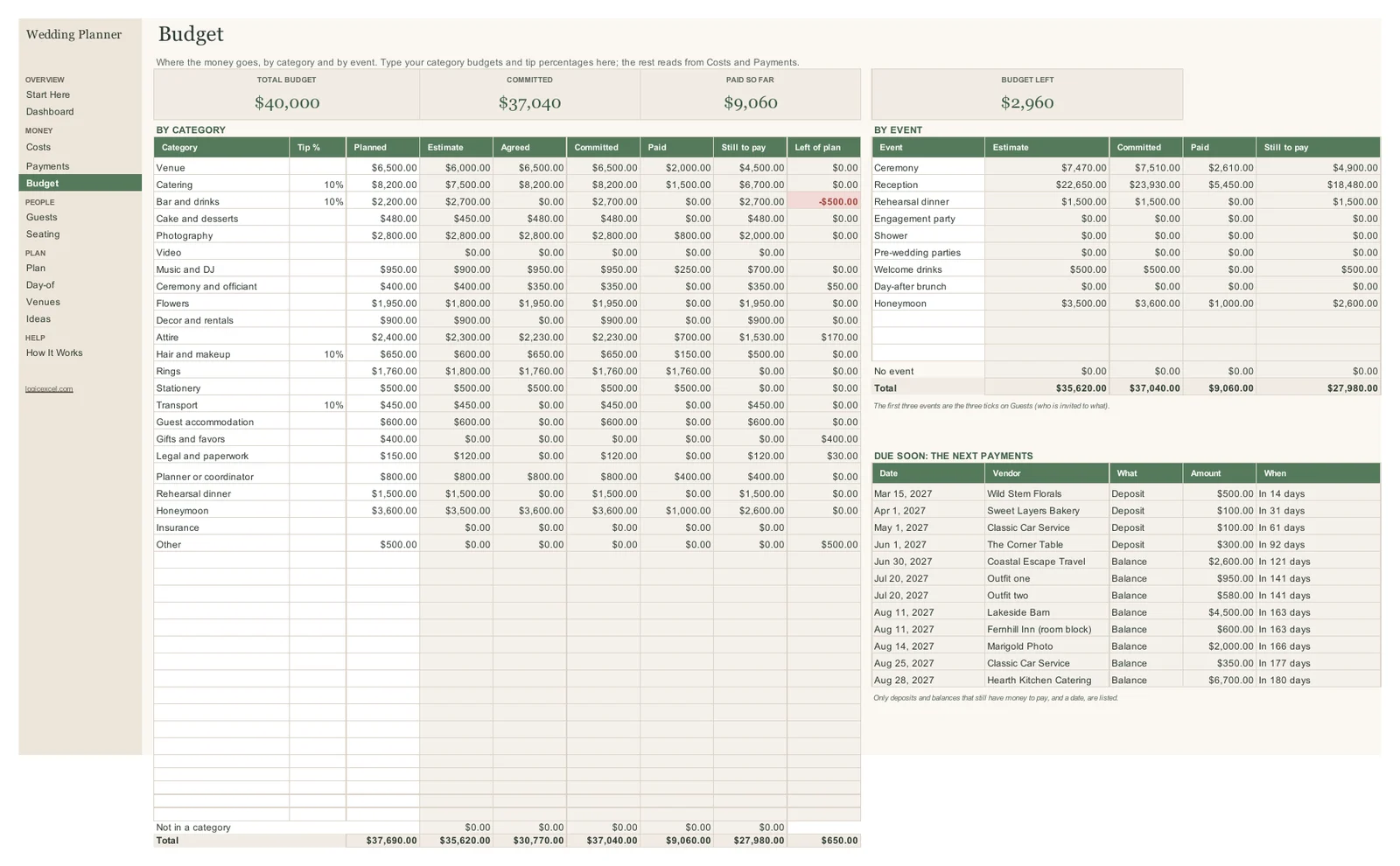
An estimate is your guess, agreed is the price in the contract, and paid is money that has left your account. The Budget tab keeps all three apart, so you can see what is committed and what you can still spend.
What the example shows
The example wedding has a total budget of $40,000. In it, $37,040 is agreed, $9,060 is paid and $2,960 is left. The venue is $6,500 with $2,000 paid, and the catering is $8,200 with $1,500 paid and $6,700 still to pay.
Deposits and balances
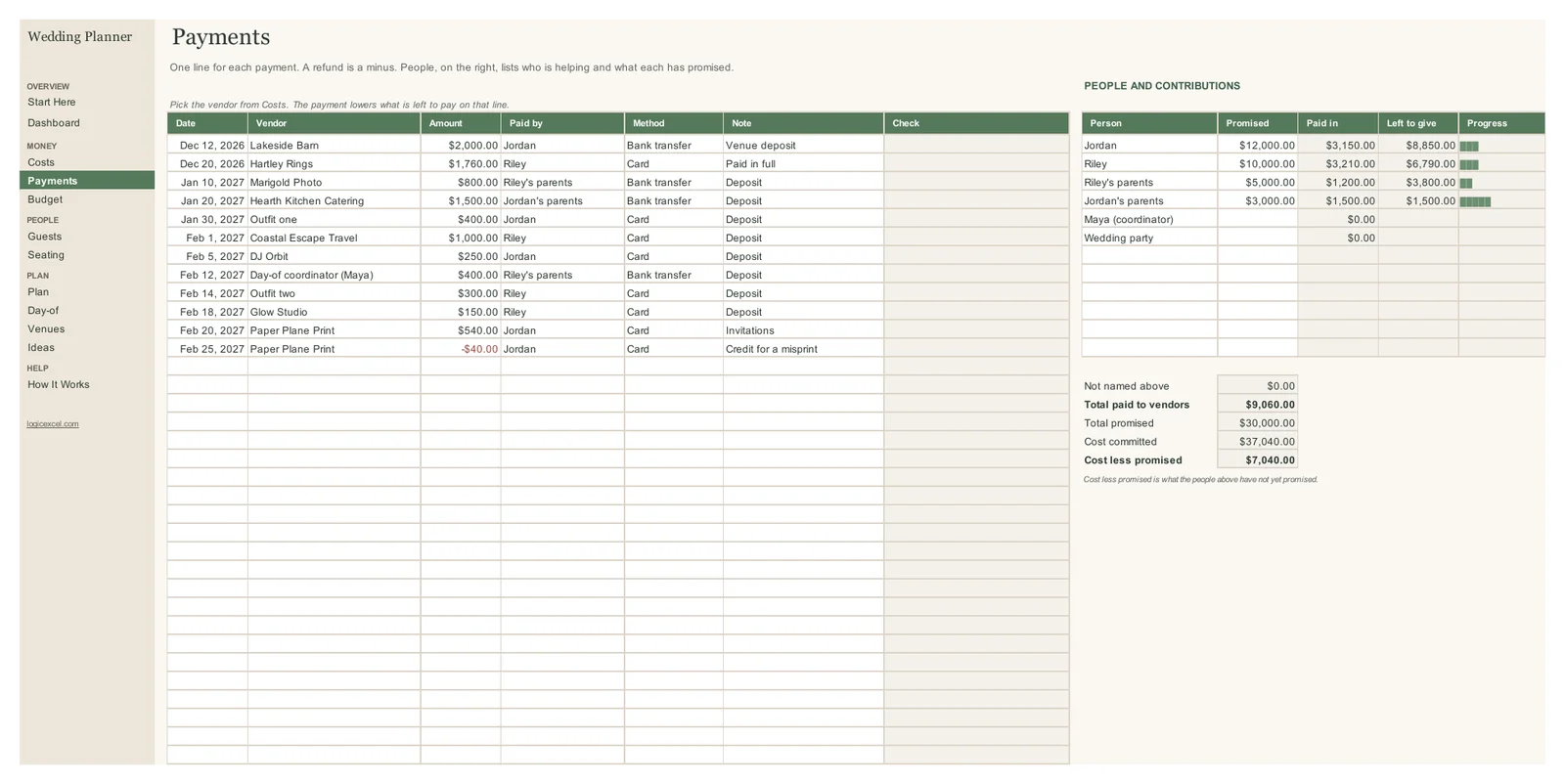
A deposit and a balance each get a due date on Costs. The next payments due are listed on Budget, and a deposit leaves the list once your payments cover it. A refund is a payment with a minus amount.
Share it
Save it as a Google Sheet and share it with your partner or a parent, or keep the Excel file in a shared OneDrive folder.
Part of the Wedding Planner · $24.99€24.99US$24.99
Questions people ask
How much of a wedding budget goes to each category?
It depends on the wedding, so the planner does not pre-set shares. You type a planned amount for each category on Budget and it shows planned, agreed, paid and left beside it. In the example, the venue is $6,500 and the catering is $8,200 of a $40,000 budget. Type your own.
What counts as agreed, and what counts as paid?
Agreed is the price you and the vendor have settled on, from a quote or a contract. Paid is a payment you have typed on Payments. The gap between them is what is still to pay.
How do I track deposits and balance dates?
On Costs, type the deposit, its due date and the balance due date for each vendor. Budget lists the next payments due, and a deposit leaves that list once your payments cover it.
Can I share the budget with my partner or a parent?
Yes. In Google Sheets, open your copy, choose Share and add their email, or send a link set to Viewer. In Excel, keep the file in OneDrive or a shared folder and share it from there.
Is a wedding budget template different from a spreadsheet?
Not really. A template is a spreadsheet that is already set up, so you type your costs and the totals work themselves out. This one is set up for Excel and Google Sheets, with no macros.