Month-End Kit
Paste your export and your bank lines. The cleaning, matching, reconciliation and checks run themselves.
Created by LogicExcel
English Instant download
See inside the template
About this template
The LogicExcel Month-End Kit is an Excel workbook for closing a month from a raw export: paste the cash book and the bank lines, and it cleans them, matches them both ways, summarises by category against your budget, reconciles bank to books and tells you in plain words what is still open. It needs Excel 2021 or Microsoft 365 on Windows or Mac. $17, one payment.
What you will receive
- Two Excel files: the blank kit for your own month, and the worked example from the free class
- Export, Bank, Budget and MonthEnd sheets, 2,000 rows on each side
- A close checklist with tick boxes and a sign-off
- Works in Excel 2021 or Microsoft 365, on Windows and Mac
What is inside
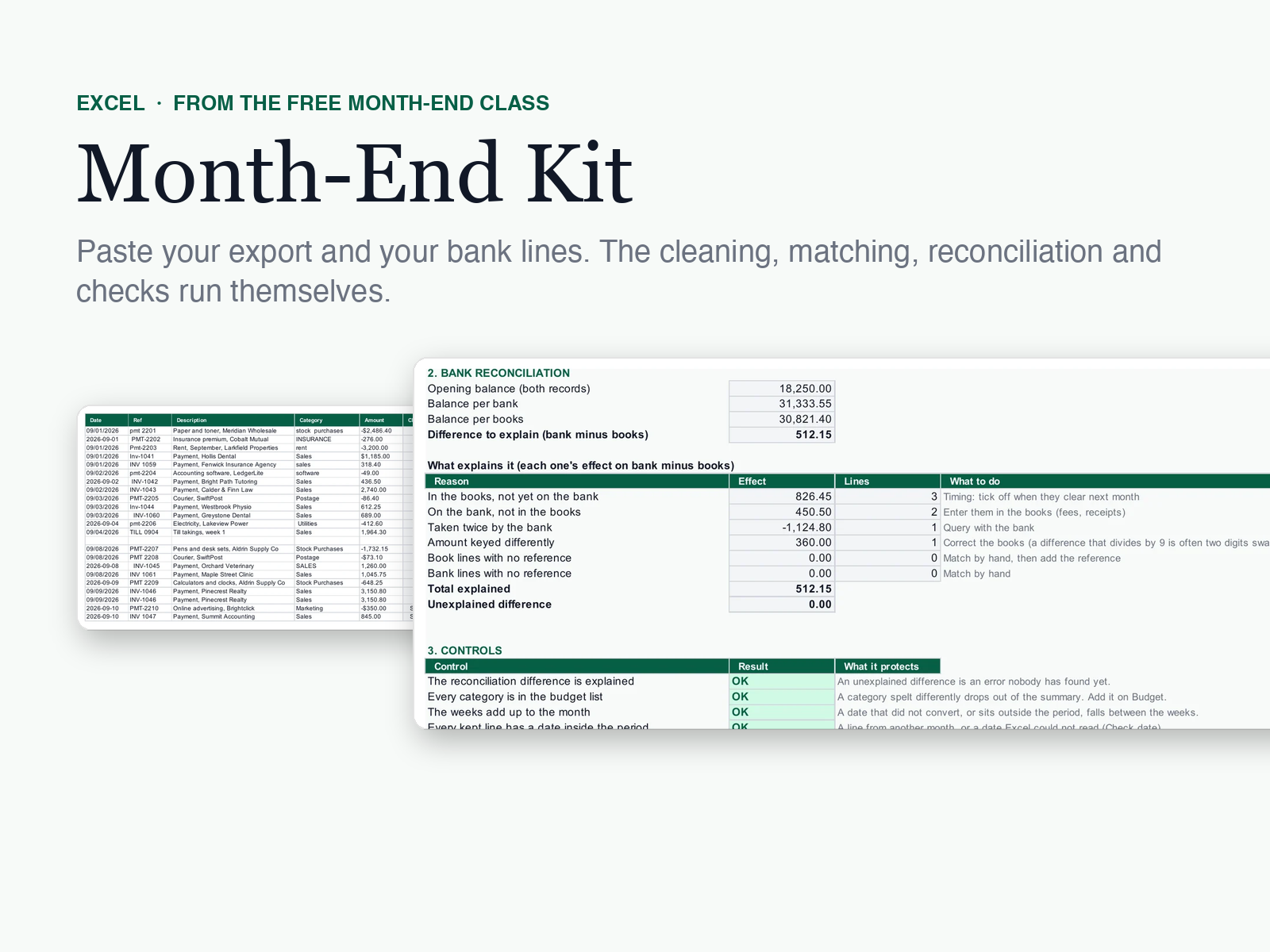
The month-end pack from our free class, rebuilt for your own data. Paste a cash-book export and the bank's lines for the month, set the period and the opening balance, and the kit cleans dates and amounts, labels repeated lines, matches both lists in both directions, summarises by category against your budget, reconciles the bank to the books with a reason for every cent, and runs seven controls that say OK or CHECK.
- Dates in any order (month first, day first or year first) and amounts with any decimal mark, currency sign or (brackets)
- Matching in both directions with XLOOKUP, so a bank fee or a double debit is never missed
- A reconciliation that lists every reason by type, with the number of lines and what to do about each
- Seven controls and one overall cell, plus a close checklist with tick boxes
- A worked example (the class month, Larkfield Office Supplies) and a blank copy for your own month
How it works
Paste
Paste the cash-book export into Export and the bank's lines into Bank, values only, from row 2.
Set the month
On Start Here: the period start, the opening balance, and how your export writes dates and decimals.
Work what is open
Filter the Match columns on anything not Matched. Each line says what it is: timing, a fee to enter, a double debit, a keying error.
Hand it over
When the unexplained difference is 0.00 and the controls say OK, tick the checklist and save a copy for the month.
4.5 LogicExcel rating · 744 ratings
From learners on LogicExcel's lessons and courses, made by the same team as this template. The template is new, so it has no ratings of its own yet.
Easy to follow.
Actually fun.
Actually fun.
Beginner friendly.
Beginner friendly.
Saves me time and easy to follow.
Built from these Excel functions
Each one has a lesson you can practise in a live spreadsheet: learn the functions behind this template.
Price, access and refunds
- $17 once, no subscription.
- Pay, download, and keep the link we email you to download it again whenever you need it.
- A download cannot be given back, so a template is not refundable once bought. The refund policy has the details.
Questions
What should a month-end close template include?
A clean copy of the month's transactions, a match between the books and the bank in both directions, a summary by category against budget, a bank reconciliation that explains every difference, and checks that tell you what is still open. The Month-End Kit does each of these from a pasted export, with seven controls and a close checklist.
Does it work with my bank's export?
If your bank and your books can export to Excel or CSV with a date, a reference, a description and an amount, yes. The kit reads dates written month first, day first or year first, and amounts with a point or a comma for decimals, with or without a currency sign.
Which Excel do I need?
Excel 2021 or Microsoft 365, on Windows or Mac. The kit uses XLOOKUP, which older versions do not have.
Does it work in Google Sheets?
Not yet. It is built and checked in Excel.
Is it the same workbook as the free class?
It is the same five steps, rebuilt for any month and a real export: more rows, more date and amount formats, two more controls and a checklist. The class month is included as the worked example.
What if a file does not open, or something is not clear?
Reply to your receipt. A person reads every reply and will help you get it working.