- Choose your level first. Beginner courses cover cell referencing, basic formulas, and formatting. Intermediate courses add VLOOKUP, SUMIFS, and pivot tables. Advanced courses tackle INDEX/MATCH, macros, and What-If Analysis.
- Target certification early. Many free platforms require a minimum assessment score to issue a certificate, so plan for that from day one.
- Pick structured platforms. W3Schools, Coursera, and Microsoft Support all offer updated, organized content rather than scattered YouTube playlists.
- Practice core competencies. Formulas, pivot tables, and data visualization are the three skills that appear in virtually every professional Excel role.
- Mix formats. Self-paced video works for flexible schedules; live instructor-led sessions give you real-time feedback.
- Budget realistically. Free courses cover a lot of ground. Paid bootcamps cost more but compress months of learning into days.
*
What types of Excel courses and certifications are available online?
Online Excel courses split cleanly into three levels, and knowing which one fits your current skills saves weeks of frustration.
Beginner courses focus on the fundamentals: cell referencing, basic formulas, tables, sorting, filtering, and simple charts.
Free beginner courses average about 7.5 hours of self-paced content and cost nothing upfront. They are the right starting point if you have never built a spreadsheet from scratch.
Intermediate courses assume you can navigate Excel comfortably and push you toward VLOOKUP, SUMIFS, pivot tables, and data sorting across larger datasets. This is where most professionals spend the most time, because these skills cover the majority of real workplace tasks.
Advanced courses cover macros, Power Query, INDEX/MATCH, and scenario analysis tools like Goal Seek. These are genuinely specialized skills, and most learners need at least a few months of intermediate practice before they land here.
On the certification side, free platforms like Alison issue certificates after learners pass a minimum assessment score, so completion alone is not enough. Paid programs, including those on Coursera, offer graded assignments and certificates that carry more weight with employers. W3Schools provides structured tutorial kits designed specifically to prepare learners for certification exams, covering beginner through exam-ready material in one continuous path.
*
Which platforms are best for learning Excel remotely?
Four platforms stand out for U.S. learners in 2026, each with a different strength.
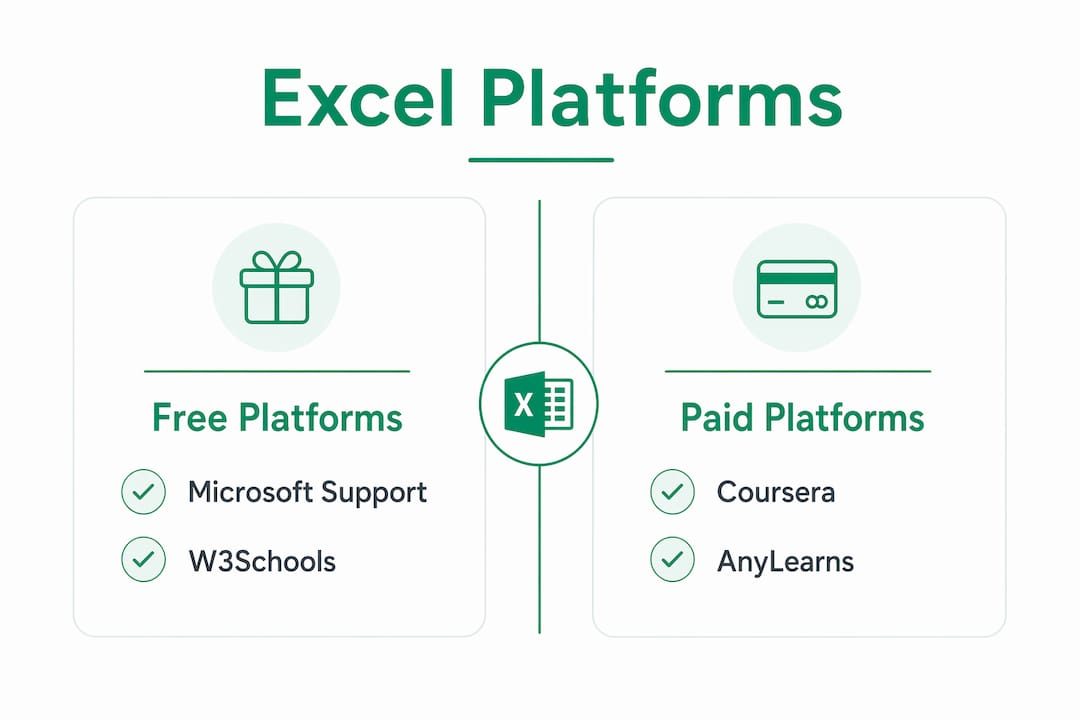 Microsoft Support
 is the most authoritative starting point. The
official Excel tutorials cover every core feature with step-by-step documentation written by the people who built the software. It is free, always current, and particularly useful when you hit a specific function you do not understand.
 W3Schools
 organizes Excel content into a clean, linear path from basics to certification prep. The tutorials are short, browser-based, and free, which makes them easy to fit into a lunch break. Learners who want a structured sequence without paying anything tend to start here.
Coursera goes deeper. Its
Excel data analysis course runs from basics through advanced data analysis, uses graded AI-assisted assignments, and issues certificates that appear on LinkedIn profiles. The audit option is free; the certificate costs extra.
AnyLearns takes a different approach entirely. Its
adaptive learning paths adjust based on what you already know, so you skip content you have mastered and spend more time on gaps. That kind of personalization is rare in Excel training and particularly useful for learners who fall somewhere between beginner and intermediate.
Pro Tip: Before committing to any platform, check whether its content covers Microsoft 365 features. Older free tutorials often omit Power Query and Copilot integration, which require modern Excel versions to use.
*
What core Excel skills do online courses actually teach?
Most online Excel courses organize their content around five skill clusters, and the best ones connect those clusters to real data workflows.
Formulas and functions come first. You will learn SUM, AVERAGE, IF, VLOOKUP, SUMIFS, and eventually INDEX/MATCH. These are the building blocks of almost every spreadsheet task, from budget tracking to sales reporting.
Pivot tables are where Excel gets genuinely powerful. A pivot table lets you summarize thousands of rows in seconds, slice data by category, and spot patterns that would take hours to find manually. Experts recommend learning pivot tables early, not as an advanced topic, because they reflect how data analysis actually works in professional settings.
 Charts and data visualization
 teach you to turn raw numbers into something a manager or client can read in thirty seconds. Online courses typically cover bar charts, line graphs, and combo charts, with some advanced programs adding dynamic dashboards.
Sorting, filtering, and data cleaning are less glamorous but critical. Real-world data is messy, and knowing how to remove duplicates, fix inconsistent formatting, and filter large datasets is what separates a functional analyst from someone who just knows formulas.
Advanced features like Power Query, macros, and conditional formatting round out the skill set. One important caveat: these features often require Microsoft 365 or Excel 2019 and later, so check your software version before enrolling in an advanced course that covers them.
*
How should you structure your Excel study plan online?
The format you choose shapes how fast you actually progress, and the right choice depends on your schedule and learning style.
Self-paced video courses give you total flexibility. You can pause, rewind, and revisit sections as many times as you need. The tradeoff is accountability: without a deadline, many learners stall at the intermediate level and never finish.
Live instructor-led bootcamps solve the accountability problem. A professional Excel bootcamp typically runs a few days, covers comprehensive material across beginner, intermediate, and advanced levels, and comes at a premium cost. You get real-time feedback, access to class recordings for 30 days, and a verified digital certificate. For someone who needs to get up to speed quickly for a new job, that compression is worth the cost.
A practical study plan for most learners looks like this: spend two to three weeks on beginner content, four to six weeks on intermediate skills with daily practice, and then tackle advanced topics as your work demands them. Do not rush the intermediate stage. Pivot tables and VLOOKUP are the skills you will use every single day.
Community support matters more than most learners expect. Forums, peer groups, and platform discussion boards give you a place to ask questions when you get stuck on a formula that refuses to work. Isolation is one of the biggest reasons online learners quit.
*
Why Logicexcel works as your hands-on practice layer
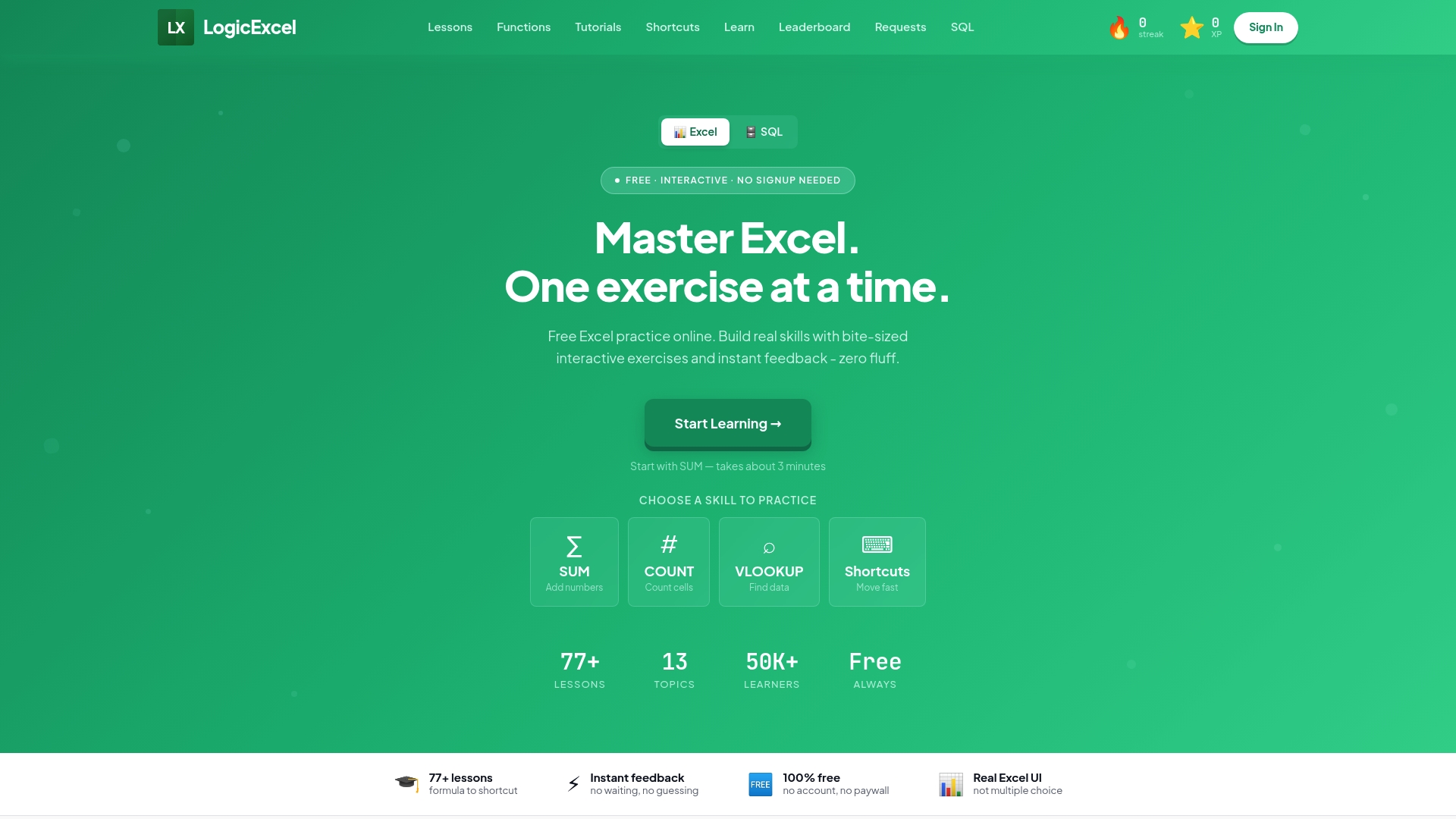
Reading about VLOOKUP and actually typing it into a cell are two completely different experiences. Logicexcel bridges that gap with 95 free interactive exercises built inside a real Excel-like environment, covering everything from basic shortcuts to pivot tables and conditional formatting.
- No account required. No software to install. Open a browser and start practicing.
- 77 structured lessons give you instant feedback on every formula you enter, so you know immediately whether your logic is right or where it broke.
- The exercises reinforce muscle memory, which is what makes skills stick when you are under pressure at work.
- Logicexcel fits every skill level: a complete beginner can start with worksheet basics, while an intermediate learner can jump straight to pivot table or assessment prep exercises.
- The platform also includes certification prep resources for MO-200 and MO-201, the Microsoft Office Specialist exams that many employers specifically request.
Pro Tip: Use Logicexcel alongside a structured course, not instead of one. Watch the lesson, then immediately open the corresponding Logicexcel exercise and apply what you just learned. That repetition is what moves knowledge from short-term memory into actual skill.
- Pair Logicexcel's Excel learning guides with any platform course to fill formula gaps quickly.
- If your career goals include data analysis, the platform's SQL practice exercises extend your skills beyond Excel into the next most-used data tool.
 *
*
Key Takeaways
Studying Excel online works best when you combine structured course content with consistent hands-on practice at every stage of learning.
| Point | Details |
| Match course level to current skills | Beginner, intermediate, and advanced courses each cover distinct skill sets; starting at the wrong level wastes time. |
| Certification requires passing assessments | Many free platforms issue certificates only after learners meet a minimum score, not just for completing lessons. |
| Bootcamps compress learning fast | A professional Excel bootcamp covers 18 hours of material across three days for $549, including a verified certificate. |
| Free courses average about 7.5 hours | Entry-level free courses provide a solid foundation without any upfront cost, covering formulas, tables, and basic charts. |
| Practice beats passive watching | Interactive exercises with instant feedback, like those on Logicexcel, build the muscle memory that video tutorials alone cannot. |
*
FAQ
How long does it take to learn Excel online?
Beginner skills take roughly two to three weeks of consistent study; intermediate proficiency typically requires four to six additional weeks of daily practice. Advanced topics like macros and Power Query add more time depending on how deeply you need them.
Are free Excel courses worth it?
Yes, for foundational skills. Free beginner courses average about 7.5 hours of content and cover cell referencing, formulas, and basic visualization at no cost. Paid options add graded assignments, instructor feedback, and certificates with more employer recognition.
Do online Excel certifications matter to employers?
Recognized certifications like the Microsoft Office Specialist (MO-200 and MO-201) carry real weight, especially in finance, operations, and administrative roles. Platform-issued certificates from Coursera also appear on LinkedIn and signal structured learning to hiring managers.
Can I study Excel online without installing any software?
Yes. Platforms like W3Schools and Logicexcel run entirely in a browser, requiring no downloads or installations. Microsoft Support tutorials also work without any additional software beyond a web browser.
What is the best way to practice Excel skills online?
The most effective method combines watching structured lessons with immediately applying each concept in an interactive exercise. Logicexcel's 95 free exercises provide instant feedback in a real Excel-like environment, which accelerates retention compared to passive video review alone.
Recommended