Excel Assessment Test Practice: Your 2026 Prep Guide
 *
*
> TL;DR:
>
> - Scoring 80 percent or higher on an Excel assessment indicates that you are prepared for intermediate tasks.
> - Practicing with real datasets and timed exercises helps develop the judgment needed beyond formula knowledge.
*
Scoring 80% or higher on an Excel assessment signals you're ready for intermediate work. It's a useful target whether you're prepping for a job interview or a certification exam. The fastest way to get there isn't reading about Excel. It's practicing in a real spreadsheet environment with immediate feedback on every answer.
Most Excel assessments test a predictable set of skills:
- Formulas and functions: SUM, IF, VLOOKUP, INDEX-MATCH
- PivotTables and data summarization
- Charts and data visualization
- Keyboard shortcuts and file management
- Error checking and data validation
- VBA basics and macros (advanced level)
What types of Excel assessment tests will you face?
Excel assessments fall into three clear tiers, and knowing which one you're preparing for changes how you study.
Basic tests cover data entry, simple formatting, SUM and AVERAGE formulas, and common shortcuts. They're typically used for administrative or entry-level roles.
Intermediate tests go deeper: conditional formulas like SUMIF and COUNTIF, PivotTables, chart creation, and navigating messy datasets. These appear in analyst and coordinator roles.
 Advanced tests
 include VBA macros, Power Query, complex nested formulas, and financial modeling concepts. Finance and data engineering roles often require this level.
Format-wise, you'll encounter multiple-choice questions taking roughly 5–10 minutes, plus hands-on practical tasks where you work directly in a spreadsheet. Some employers use downloadable workbooks with timed task lists.
Where can you find free Excel practice tests?
Free resources are genuinely good right now. Here's what's worth your time:
- Corporate Finance Institute offers a free 20-question Excel test covering formulas, shortcuts, charts, and financial modeling basics, with instant scoring.
- Coursera's Excel skill assessment gives you 10 multiple-choice questions, immediate results, and a custom learning path based on your score.
- How-To Geek's three-part series provides downloadable workbooks at beginner, intermediate, and advanced levels with full solution files.
- Logicexcel offers 95 free interactive exercises covering everything from cell selection to SUMIF and INDEX-MATCH, with instant feedback and no account required.
- W3Schools Excel exercises give quick, browser-based practice on specific functions.
How to prepare effectively with interactive practice
The real gap between candidates isn't formula knowledge. It's knowing which tool fits which problem. Practicing with real-world datasets that include missing values, inconsistent formatting, and mixed data types builds the judgment that formula drills alone can't.

Interactive practice with instant feedback reduces test anxiety and gives you an honest benchmark before the actual assessment. Work through exercises that combine error checking, data validation, and file management alongside function practice.
Timed sessions matter too. Research on exam preparation consistently shows that simulating test conditions improves both speed and accuracy on the real thing.
Pro Tip: Use Logicexcel's bite-sized lessons to target one skill at a time. Completing a focused SUMIF exercise before moving to SUMIFS builds the kind of layered understanding that shows up clearly on timed assessments.
How to use practice tests for job interviews and certifications
Treat practice tests as diagnostic tools, not just confidence builders. Take one early, note every question you got wrong, and build your study plan around those gaps.
- Take timed practice tests weekly to track progress against a recognized proficiency benchmark.
- Recreate test conditions: quiet room, no reference materials, strict time limit.
- After each test, look up the Excel function behind every wrong answer and practice it in isolation.
- Combine test practice with structured Excel learning guides to fill conceptual gaps, not just memorize answers.
- For certification prep, Logicexcel's certification resources align with MO-200 and MO-201 exam requirements.
- Keep a record of your scores. Showing an employer a documented score above 80% is a concrete credential.
Logicexcel gives you a faster path to assessment readiness
If you've been piecing together YouTube tutorials and static practice sheets, there's a better option. Logicexcel is a free platform built specifically for active Excel practice, not passive watching.
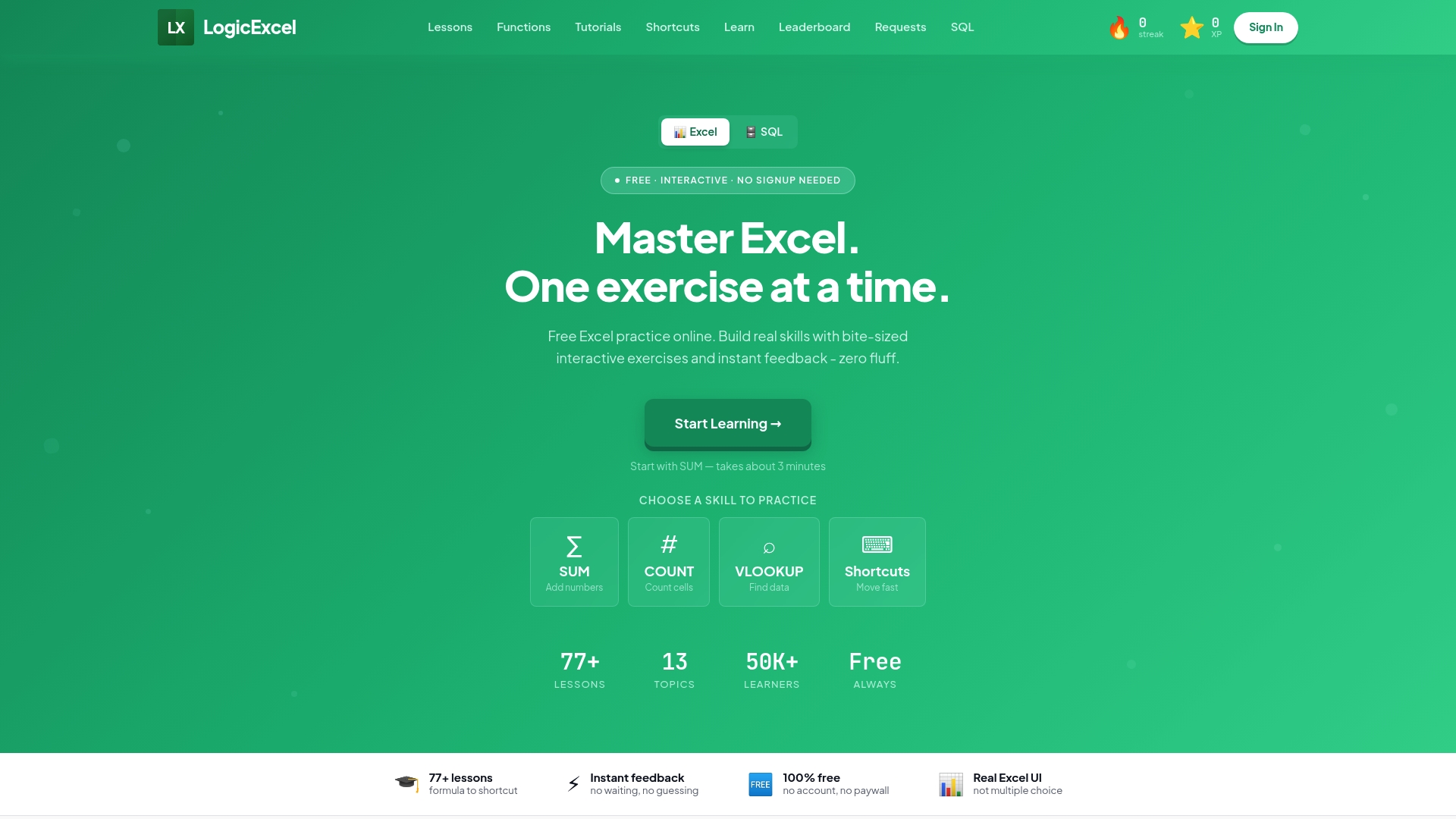
You type formulas directly into an Excel-like interface and get instant feedback on every answer. No account, no software to install, no cost. With 95 interactive exercises spanning beginner through advanced skills, plus dedicated assessment prep resources, you can go from shaky on VLOOKUP to confident on INDEX-MATCH in a matter of days. Start your first exercise at Logicexcel and see exactly where you stand.
Key Takeaways
Consistent, interactive practice against real datasets is a reliable way to reach proficiency benchmarks employers and certifications use.
| Point | Details |
| Proficiency benchmark | Scoring 80% or higher signals readiness for intermediate Excel tasks per Corporate Finance Institute. |
| Three test tiers | Basic, intermediate, and advanced tests each require different preparation strategies and skill sets. |
| Real datasets matter | Practicing with messy, real-world data builds judgment that formula drills alone cannot replicate. |
| Timed simulation | Recreating test conditions weekly improves both speed and accuracy on actual assessments. |
| Logicexcel | Offers 95 free interactive exercises with instant feedback and no account required for assessment prep. |
FAQ
What is a passing score on an Excel assessment test?
Scoring 80% or higher on an Excel assessment generally indicates readiness for intermediate Excel tasks.
How long does a typical online Excel assessment take?
Most online Excel skill assessments consist of multiple-choice questions and take about 5–10 minutes to complete.
Can I practice Excel assessment tests for free?
Yes. Platforms like Logicexcel, Corporate Finance Institute, and Coursera all offer free Excel practice tests with immediate scoring and no account required.
What skills do employers test most often in Excel assessments?
Employers commonly test formulas such as SUM, IF, and VLOOKUP, along with PivotTables, charts, shortcuts, and error-checking skills, especially for finance and analysis roles.
Does Logicexcel help with certification exam prep?
Logicexcel includes dedicated resources for Microsoft Office Specialist (MO-200 and MO-201) certification preparation alongside its general assessment practice exercises.
Recommended